Credits are what you spend to create in Sozee. This guide shows what each feature costs, how Pay As You Go compares with a subscription, and what it takes to set up your character.
Start here · 5 min read · Updated 2026-11-11
What you'll learn
What images, videos, edits and voice cost in credits
How Pay As You Go compares with a subscription
What setting up a character costs
How to record a voice sample that sounds natural
Choose how you pay
Credits are your creative currency. Buy them as you go, or subscribe for a monthly allowance at a lower price per credit.
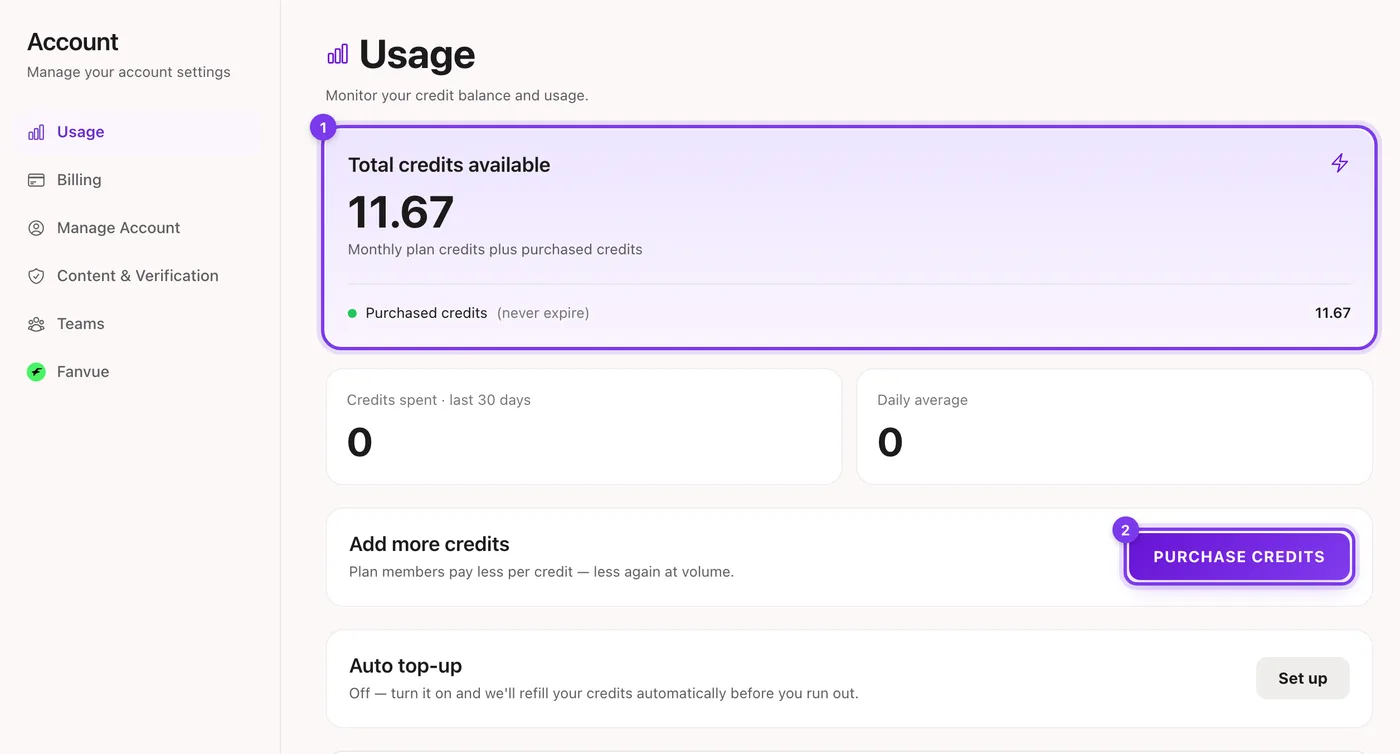
In the app. Your balance is always in the top bar. Click it to open Usage.
Plan
Price
Credits
Price per credit
Pay As You Go
$10 to start
10 credits, buy more anytime
$1.00
Creator
$59.99 a month
150 credits a month
$0.40
Agency
$149.99 a month
450 credits a month, shared with your team
$0.33
Pay As You Go has no subscription and no monthly commitment. Purchased credits never expire, and it includes one character slot.
Creator suits creators who make content every week, and includes more character slots.
Agency adds team seats, so your team can work in your account.
In the app. Under Usage in your account: your credits (1) and Purchase credits (2).
Credits that come with a monthly plan end when the subscription ends. Credits you buy separately never expire. See the billing guide for how to buy, change or cancel.
What things cost
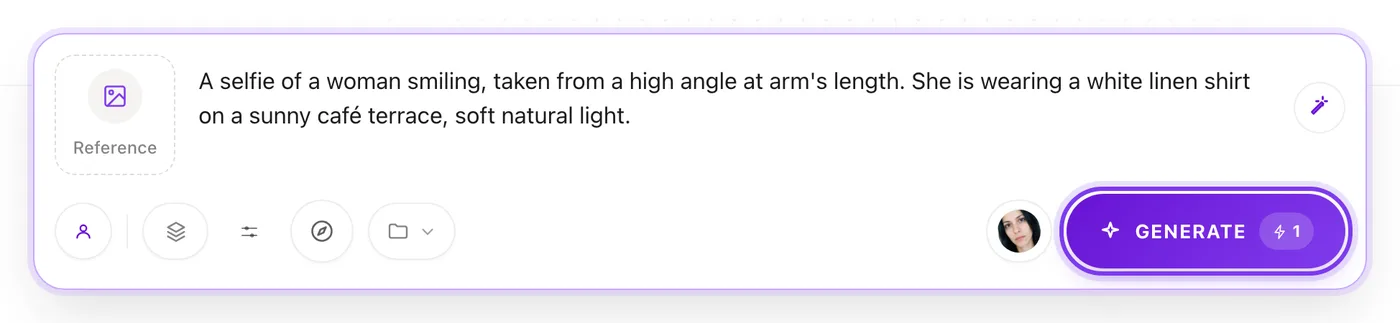
Pricing scales with the quality and length you choose. You always see the price before anything is made.
In the app. The price is on the Generate button before anything is made.
Images
Image
Cost
1K resolution
1 credit
2K resolution
1.5 credits
4K resolution
2 credits
Videos
Video
Cost
Video at 480p
1 credit per second
Video at 720p
2 credits per second
Reel clone
1 credit per second
A 10-second video at 480p costs 10 credits, and the same video at 720p costs 20. The exact price shows before you generate. Explore Video clones are priced separately, and you see that price before you generate too.
Made in Sozee.
A photo: priced per imageA video: priced per second
You always see the price before anything is made.
Edits
Edit
Cost
Photo edit (Comment Edits, In-paint, Re-imagine)
1 credit
Upscale to 2K
0.5 credits
Upscale to 4K
1 credit
Edit moments on a video
1 credit per second at 480p, 2 at 720p
Like a photo but want to change one detail? Edit it instead of starting over. See the editing tools guide.
Voice
Voice
Cost
Save a custom voice for your character
5 credits
Voice notes and other speech
0.01 credits per second of audio (0.05 credits minimum)
A 15-second voice note costs about 0.15 credits, so it's easy to experiment.
Setting up your character
Your character's photos are a one-time investment in your most useful digital asset: a consistent version of you that you can use again and again.
Photos
Cost
What you need
Face
1 credit per photo
1 clear face photo
Body
1 credit per photo
1 or 2 body photos (front, and back if you have one)
Your complete character
Credits
Face (1 photo)
1 credit
Body (front and back)
2 credits
Total
3 credits
Custom voice (optional)
5 credits
With this one-time setup you can make photos, videos and voice content of your character for as long as you like. See how to choose your photos.
Your voice sample: the key to natural audio
Audio requirements
Up to 30 seconds of audio, and 5 to 15 seconds works best.
Billing and account management — Manage your Sozee billing: buy credits as you go, subscribe or change plan, add your team, turn on auto top-up and cancel any time.
Getting started with Sozee — Start making AI photos and videos of your own character in Sozee: create the character, pick a mode, choose quality and make your first set.
How to choose photos to train your AI character — How to create an AI model of yourself: which face and body photos to upload, what to avoid, and how Sozee builds a consistent character from them.