Text to video AI: make a video from an idea
Describe An Idea turns a sentence into a video of your character. You write the scene, optionally pin a real setting, outfit or object, check the prompt Sozee writes from your idea, then generate.
Video · 5 min read · Updated 2026-11-11
What you'll learn
- How to turn an idea into a video
- How to pin your own setting, outfit or props
- How to review the prompt before you generate
- Other ways to start a video
Step by step
- Open Video and choose Describe An Idea On the Create page, choose Video under the prompt, then Describe An Idea. Pick your character with the character button at the bottom of the panel.
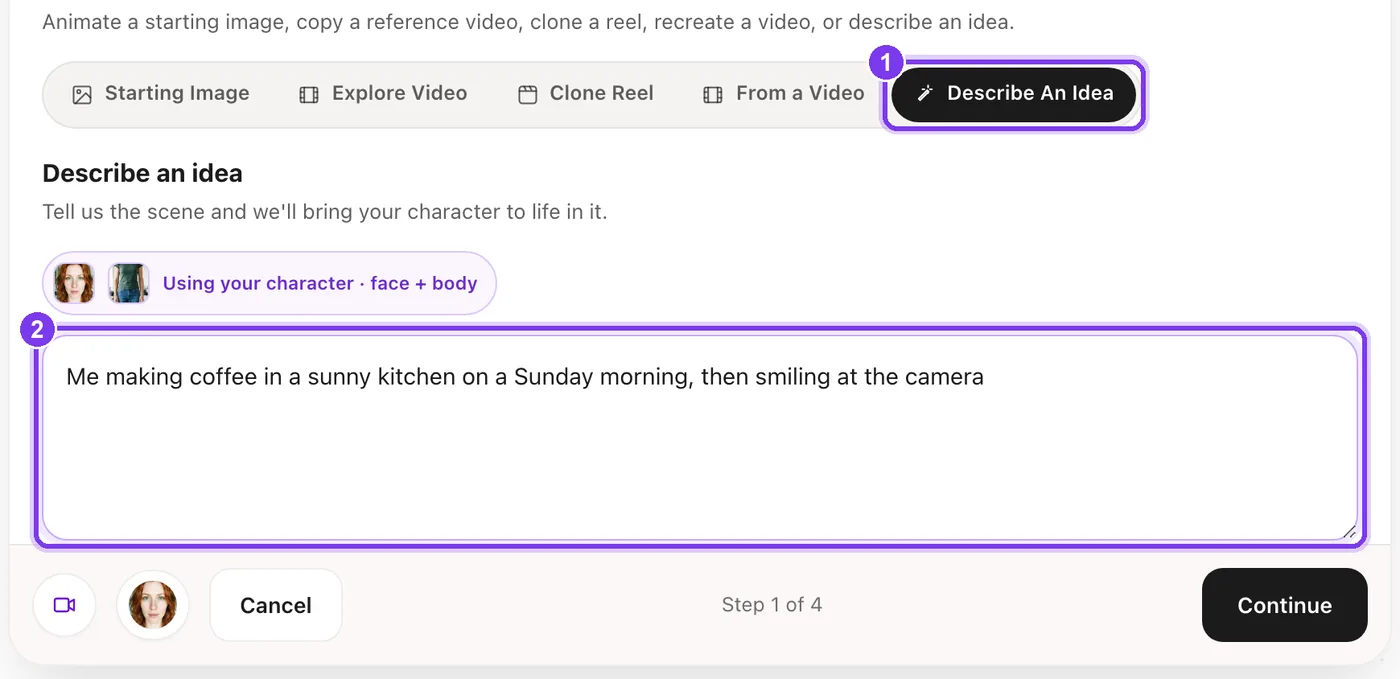
In the app. Describe An Idea (1) and the box for your idea (2). - Write the idea Describe the scene in plain words, such as “me making coffee in a sunny kitchen on a Sunday morning, then smiling at the camera.” Sozee expands it into a full prompt and shows it to you before generating.
- Pin real references, if you want Video Control is optional. Pick a saved Setting, Outfit or Object so the video uses your space, your clothes or your props. Skip it for a pure text-to-video run.
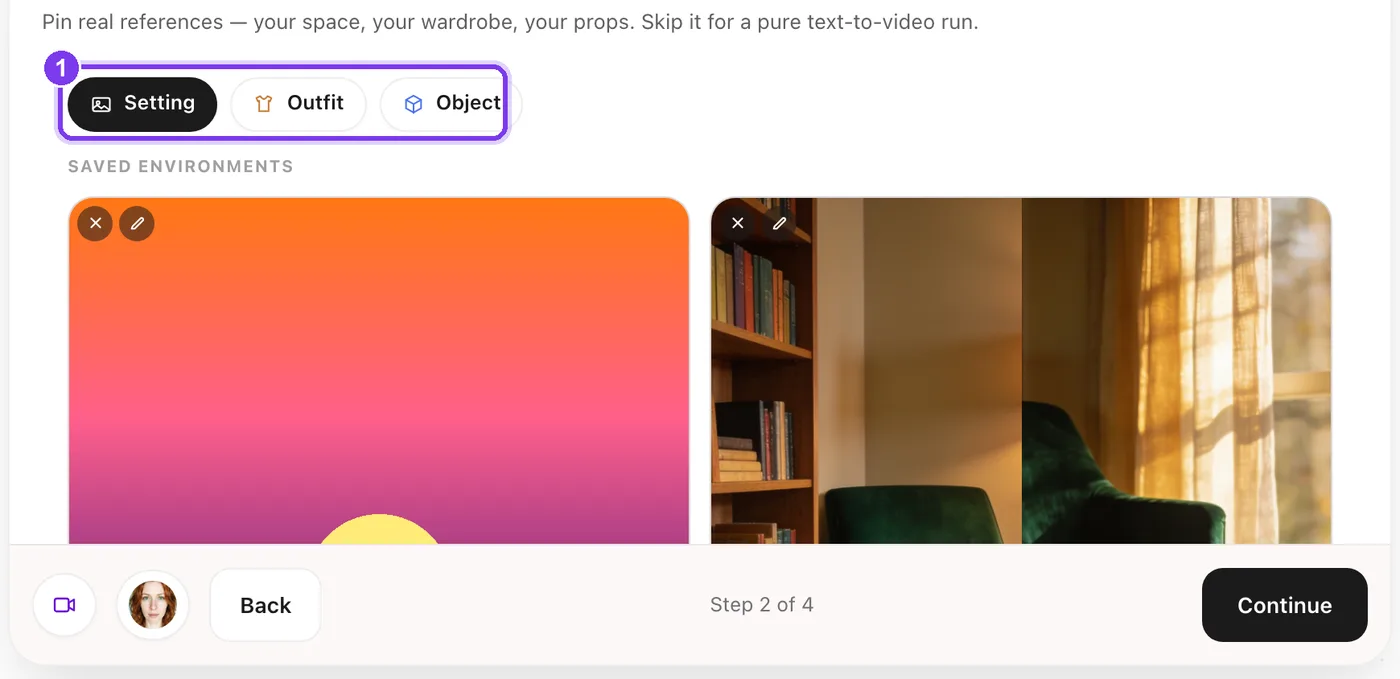
In the app. The Setting, Outfit and Object tabs (1). - Set the output Choose a shape (Auto, 1:1, 4:5, 9:16 or 16:9), 480p or 720p, and a length from 5 to 90 seconds.
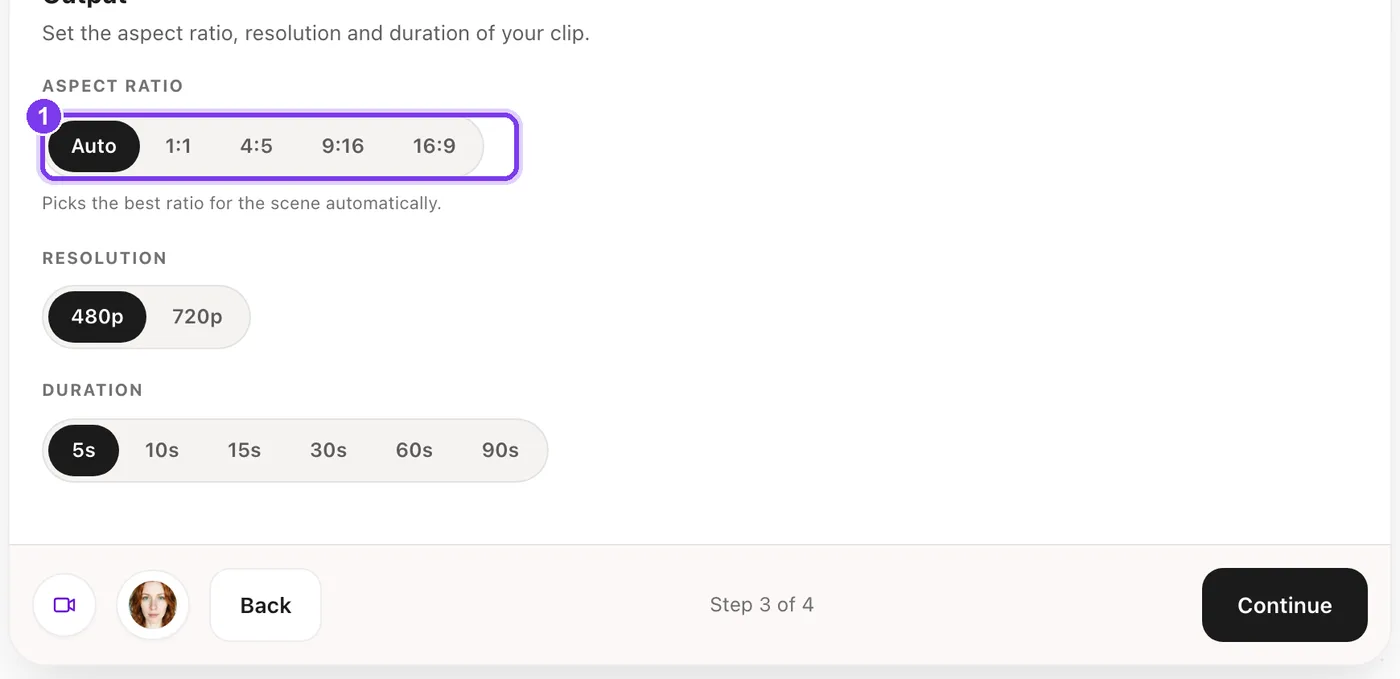
In the app. The shape (1). Auto picks the best ratio for the scene. - Review your prompt, then generate Sozee shows Your idea next to the Enhanced prompt it wrote. Edit the enhanced prompt if anything is off, then press Generate.
Writing an idea that works
Your character is already in the video, so you don't need to describe them. Describe where they are, what they do and how it should feel.
Too thin
“A nice video.” “Me being happy.” There's no place and no action.
Enough to work with
“Me on a boat in Miami at sunset, laughing as the wind catches my hair, then raising a glass to the camera.” A place, an action and a finish.
Made in Sozee.
Settings and cost
| Setting | Options |
|---|---|
| Shape | Auto, 1:1, 4:5, 9:16 or 16:9 |
| Resolution | 480p or 720p |
| Length | 5, 10, 15, 30, 60 or 90 seconds |
| Cost | 1 credit per second at 480p, 2 at 720p |
A 15-second video costs 15 credits at 480p and 30 at 720p. The price is on Generate before anything is made. Making videos is part of the paid plans, including Pay As You Go.
Other ways to start a video
The other tabs in Choose your source start from something you already have.
| Tab | What you get |
|---|---|
| Starting Image | A photo from your Vault, animated. See image to video. |
| Explore Video | The motion of a video from Explore, with your character. |
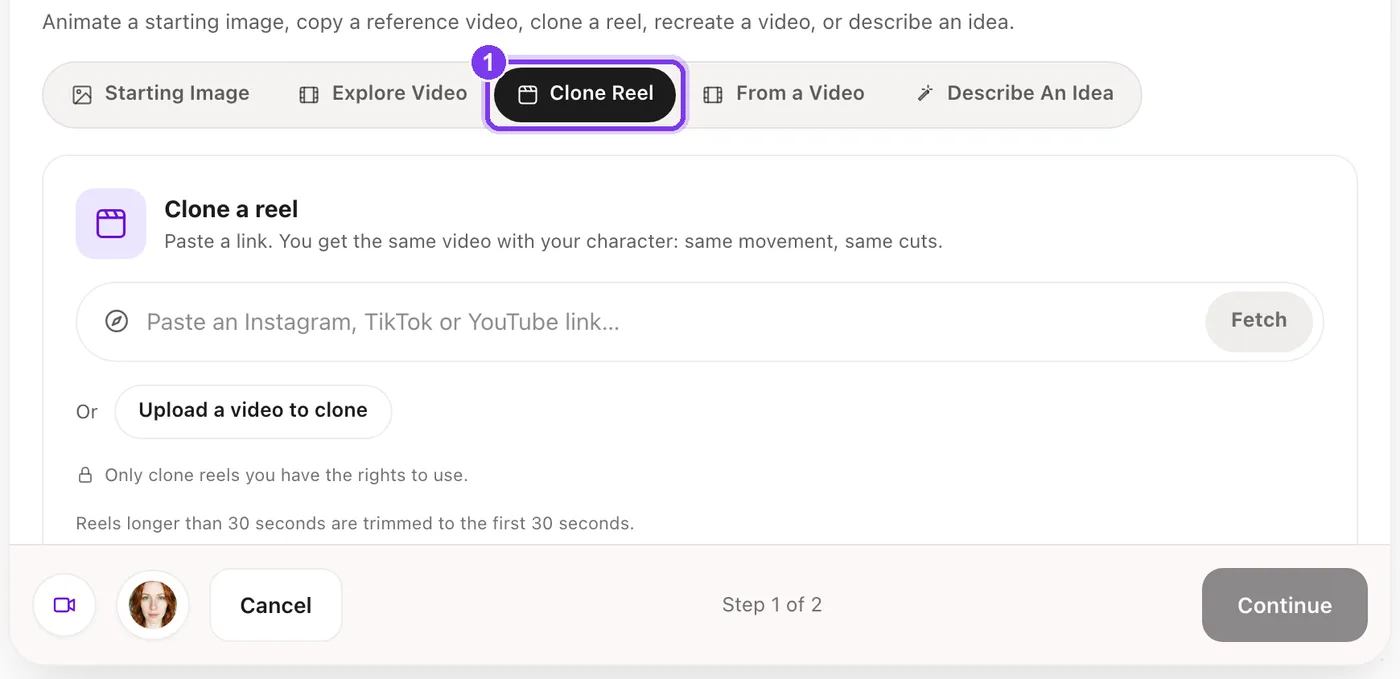
| Clone Reel | The same video with your character: same movement, same cuts. Paste an Instagram, TikTok or YouTube link, or upload a video. |
| From a Video | A new video based on one you upload. Sozee describes what happens in it, and you can edit that before it continues like Describe An Idea. |
Made in Sozee.
Made in Sozee.
- Reels longer than 30 seconds are trimmed to the first 30 seconds. A clone costs 1 credit per second.
- From a Video takes MP4, MOV or WebM, and you pick 2 to 30 seconds of it.
- Only clone or upload videos you have the rights to use.
Got an idea for a video? Type it in. Open Create
Related guides
- Image to video AI: turn a photo into a video — Image to video AI in Sozee: pick a photo from your Vault, describe the motion, choose length and quality, and turn it into a video of your character.
- AI UGC videos: make UGC with your character — Make AI UGC videos in Sozee: pick a format, write a brief, approve the script and render a talking-to-camera video of your character, with captions.
- How to write prompts in Sozee — How to write AI image prompts that work: copy-ready AI photo prompts, the structure of a strong prompt, and examples for selfies, outfits and settings.